
MTT Tracker
The MTT Tracker → Play screen is designed for fast entry while you are actually playing. Select a buy-in to start a tournament, then update the tournament row as needed. Bullets, add-ons, cash-outs, bounties, and formats can all be recorded from the row.
Starting a Tournament
Open MTT Tracker → Play.
Select the buy-in amount for the tournament you are entering. The tracker creates a tournament row with the current time, site, format, buy-in, bullet count, total in, cash-out, bounties, and net result.
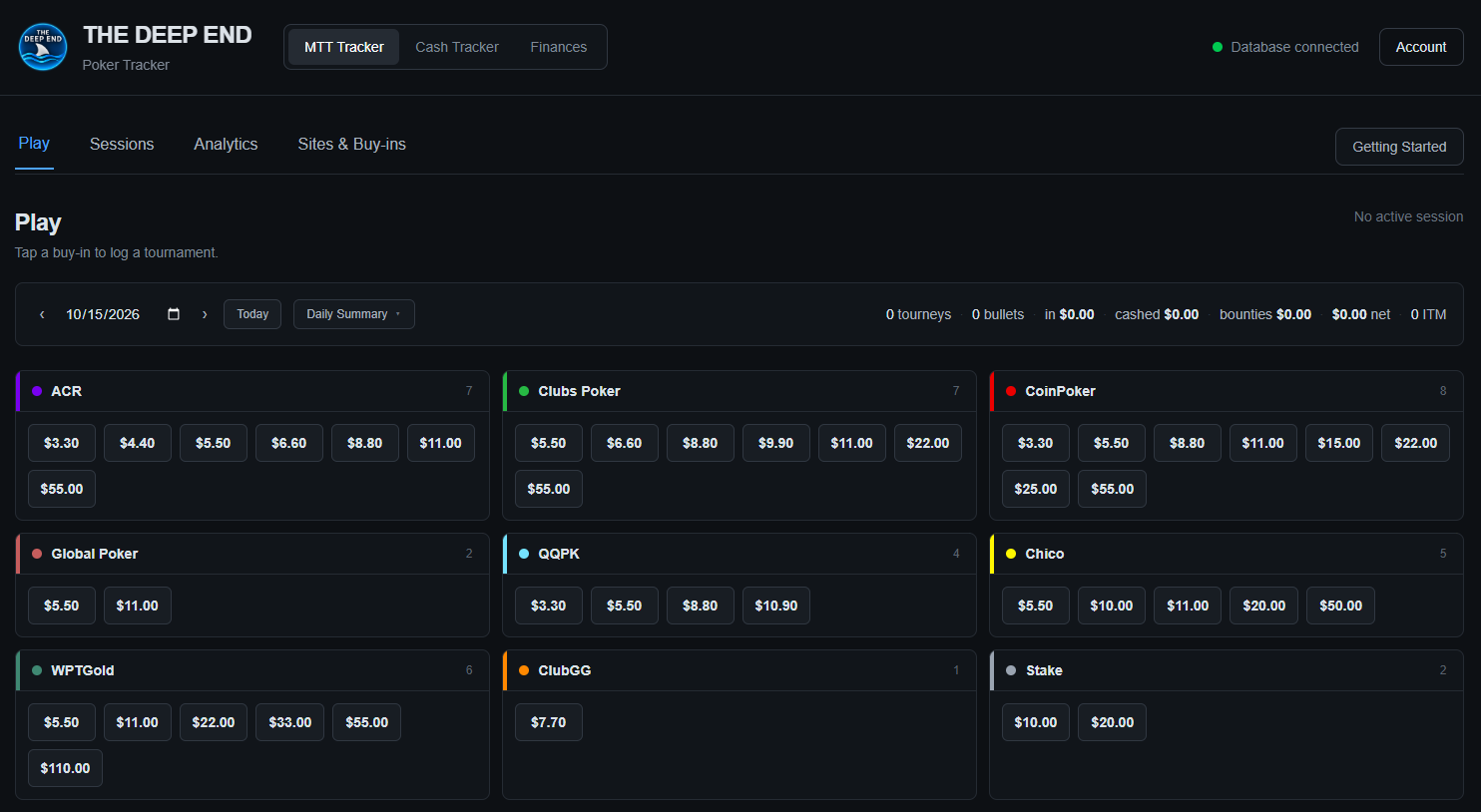
The site and buy-in choices come from the configuration in Sites & Buy-ins. This is why completing that setup first makes tournament entry much faster.
Tournament Rows
Each tournament is recorded as a row under Today's Tournaments. The row shows the information used to calculate the tournament result.

The main fields are:
- Time — when the tournament was started.
- Site — the poker site where the tournament was played.
- Format — the tournament format.
- Buy-in — the initial tournament buy-in.
- Bullets — the number of entries/bullets used.
- Total In — the total amount entered into the tournament, including additional bullets and add-ons when applicable.
- Cash-out — money received from the tournament result.
- Bounties — bounty money received.
- Net — the tournament result after total money in is deducted from cash-outs and bounties.
Re-entries / Bullets
The tracker records additional entries as bullets. After the first entry, use the Bullet 2 control to add another bullet.
When a bullet is added, the tracker records the additional amount and increases the bullet count and Total In for the tournament.
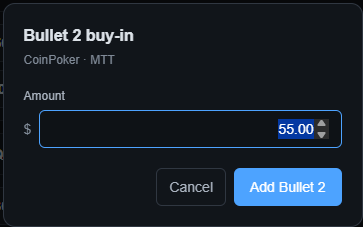
The bullet amount can be entered when the additional entry is made. The tracker keeps the additional entry associated with the original tournament rather than creating an unrelated tournament record.
Cash-outs and Bounties
When a tournament produces a payout, enter the amount in the Cash-out field. Bounty money is recorded separately in the Bounties field.
Keeping these amounts separate allows the tracker to show both the cash result and bounty result while still calculating the overall tournament net.

A tournament's net result is based on the money received from cash-outs and bounties compared with the total amount entered.
Add-ons
If the tournament allows an add-on, use the add-on control on the tournament row and enter the amount of the add-on.
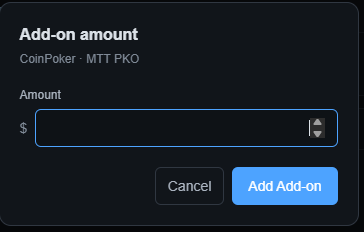
Add-ons increase the tournament's Total In just like an additional bullet. This also means add-ons are included when the tracker calculates the tournament's net result.
Formats
The Format field identifies the type of tournament being played. Select the appropriate format from the dropdown.
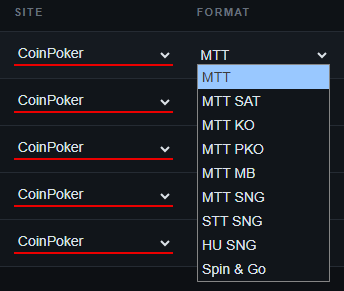
Choosing the correct format keeps tournament results organized and allows the format filter in Analytics to work correctly.
Marking a Tournament Done
When a tournament is complete and the information is correct, select the checkmark at the right side of the row. The row is then marked Done.

Marking a tournament Done is the final step for a completed entry. You can continue adding and tracking other tournaments on the same day.
Deleting a Tournament
To remove a tournament, use the × at the right side of the tournament row.
The tracker asks you to confirm the deletion. If the tournament has additional bullets, the confirmation makes clear that the tournament and its bullets will be deleted together.
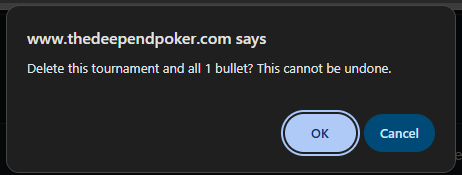
Important: Deleting a tournament cannot be undone. Make sure you are deleting the correct tournament before confirming.
Daily Summary
The Daily Summary provides a site-by-site view of the tournaments recorded for the selected day. It summarizes tournaments, bullets, total money in, cashes, bounties, return, net, and ROI.
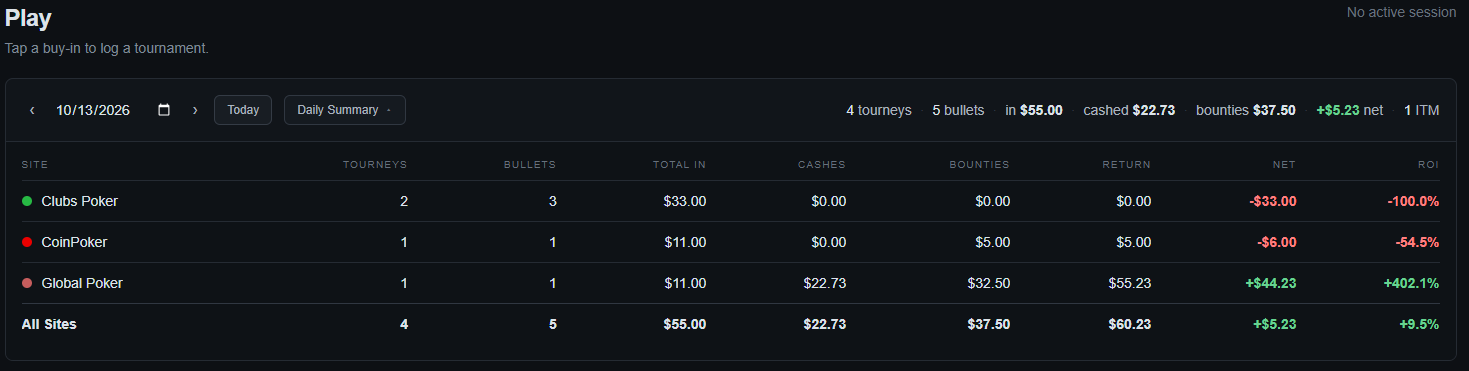
The summary is useful for checking that the day's totals match what you expect without opening each tournament individually.
The summary can also show results by site, followed by an All Sites total for the selected day.
Quick Workflow
For normal tournament play, the workflow is simple:
- Select the appropriate buy-in.
- Add additional bullets or an add-on when needed.
- Select the correct format.
- Enter cash-outs and bounties when the tournament finishes.
- Review the row and select Done.
- Use Daily Summary to review the day's totals.
The goal is to keep tournament entry quick enough that maintaining accurate records does not interfere with playing.