
Finances
Finances is separate from your play and session tracking. It records poker-related money movement so you can track what you put into and take out of poker sites, as well as money you fund to or receive back from players you stake.
The Finances area is divided into Sites, Stakes, and Reports.
Site Deposits and Withdrawals
Select Finances → Sites to track money moving between you and your poker sites.
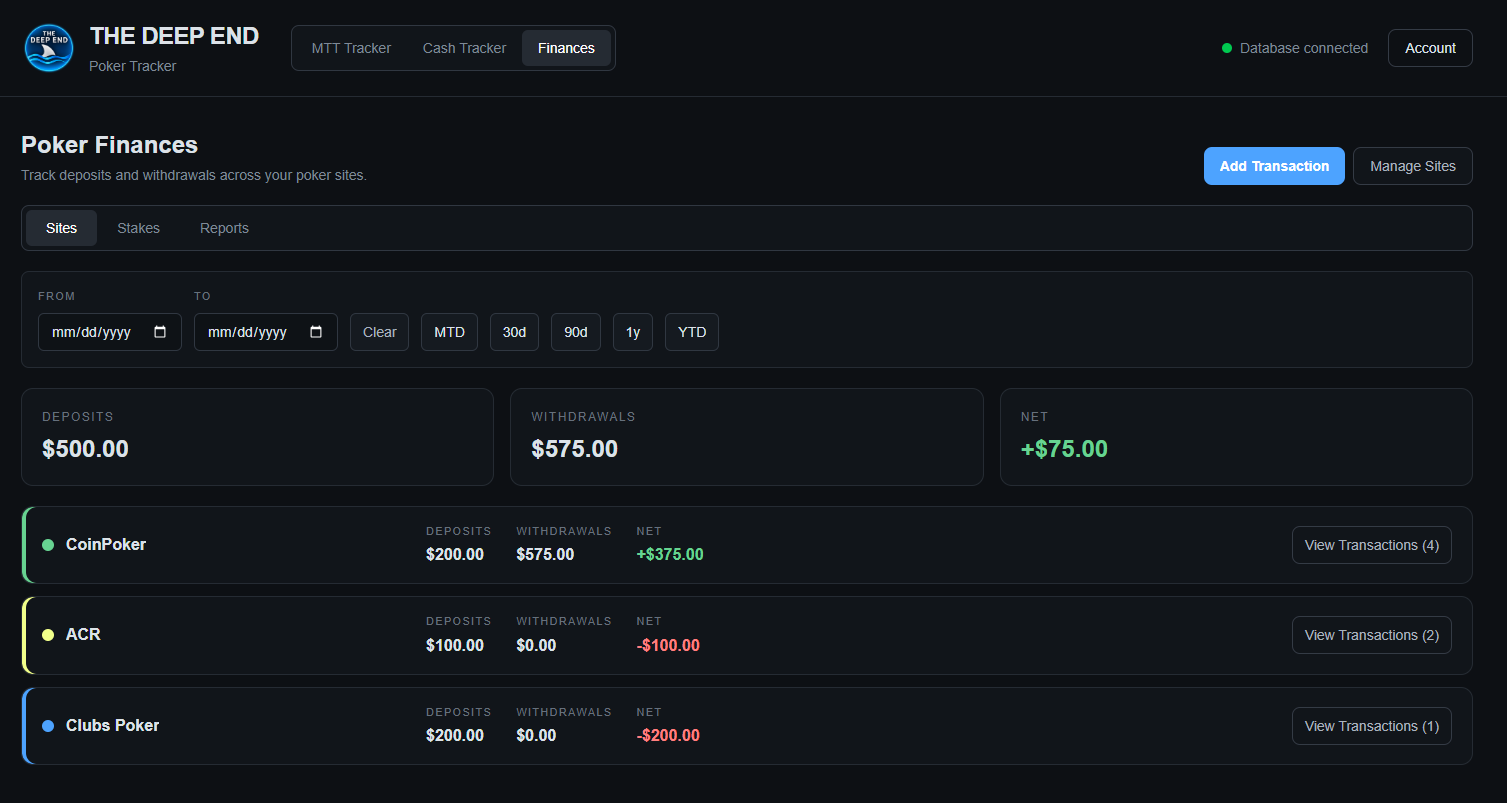
The Sites page shows:
- Deposits — money deposited to poker sites.
- Withdrawals — money withdrawn from poker sites.
- Net — the difference between withdrawals and deposits.
The site cards break those totals down by poker site and provide access to the transactions recorded for each site.
Adding a Site Transaction
Select Add Transaction.
Choose the:
- Site
- Type — Deposit or Withdrawal
- Amount
- Date
- Note — optional
Deposits and withdrawals are entered as positive amounts. The transaction type determines whether the amount is treated as money going into or coming out of the poker site.

After adding a transaction, the site totals and overall totals are updated.
Viewing Site Transactions
Each site card shows the number of transactions recorded for that site. Select View Transactions to review the transactions associated with that site.
This gives you a site-level view of your poker money movement without mixing it with tournament or cash-session results.
Staking
Select Finances → Stakes to track money funded to players and money returned from staking.
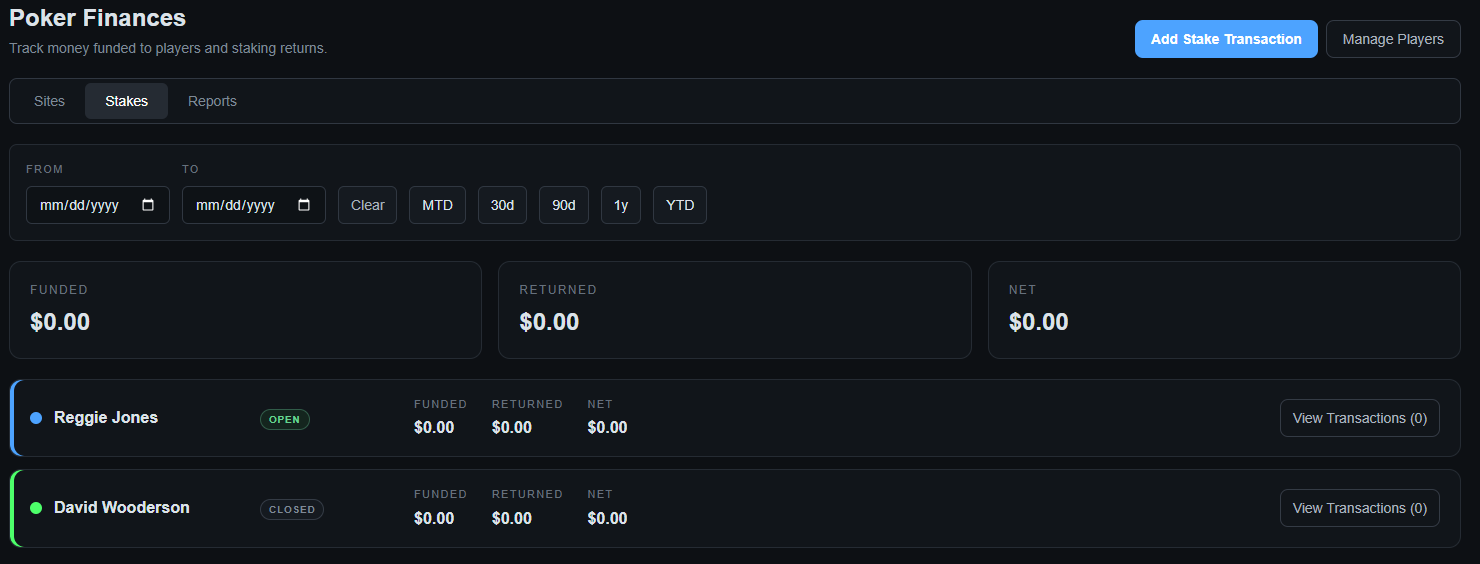
The Stakes page shows:
- Funded — money you have funded to players.
- Returned — money returned to you.
- Net — the difference between returned and funded amounts.
Each player has a card showing their current staking status and totals.
Adding a Stake Transaction
Select Add Stake Transaction.
Choose the player and transaction details:
- Player
- Type — Funding or Return
- Amount
- Date
- Note — optional
Funding and returns are entered as positive amounts. The transaction type determines how the amount is included in the staking totals.

Managing Players
Select Manage Players to configure the players you stake.
Enter a player name, choose the associated color, and select Save Player.
Saved players appear in the player list. Players are also marked OPEN or CLOSED.
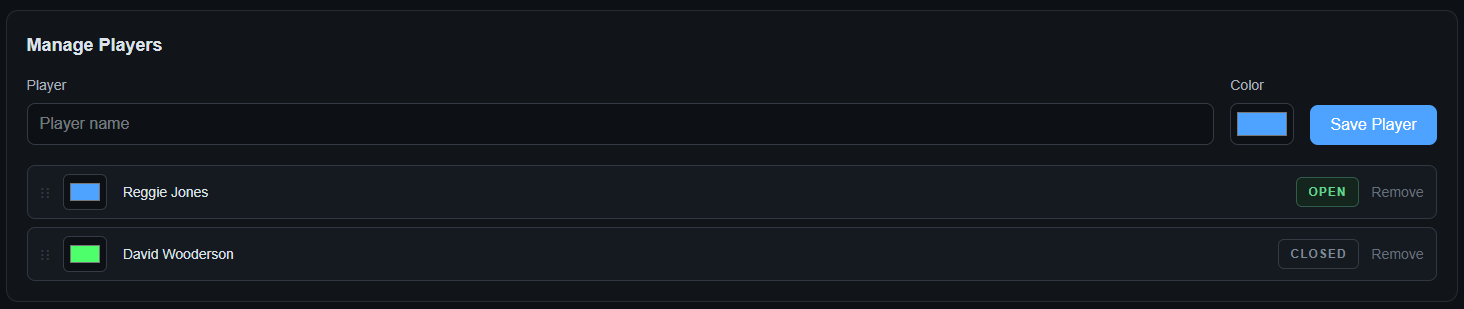
Player management keeps the staking side of Finances organized and provides the player choices used when adding stake transactions.
Date Filtering
Both the Sites and Stakes areas provide date filtering.
Use From and To to specify a custom date range. You can also use the shortcut buttons:
- MTD — month to date
- 30d — last 30 days
- 90d — last 90 days
- 1y — last year
- YTD — year to date
- Clear — remove the current date filter

Date filters apply to the financial information displayed on the page, allowing you to review a specific period instead of your entire history.
Understanding the Numbers
Finance totals are money-movement totals. They are separate from the profit shown by the MTT Tracker and Cash Tracker.
For site transactions:
Net = Withdrawals − Deposits
For staking:
Net = Returned − Funded
This makes the Finances area useful for tracking the actual movement of poker money independently from how the poker play itself performed.
Tip: Use the date filters when reviewing a specific month, year, or other period. This keeps your financial view consistent with the time period you are trying to analyze.